Payvane
Concept: supplier invoices in a spend platform
- Concept, not a commercial project. Company, people and numbers are made up; country rules are real
- Product design, information architecture, UI, design system. Prototype built with Claude Code
The task
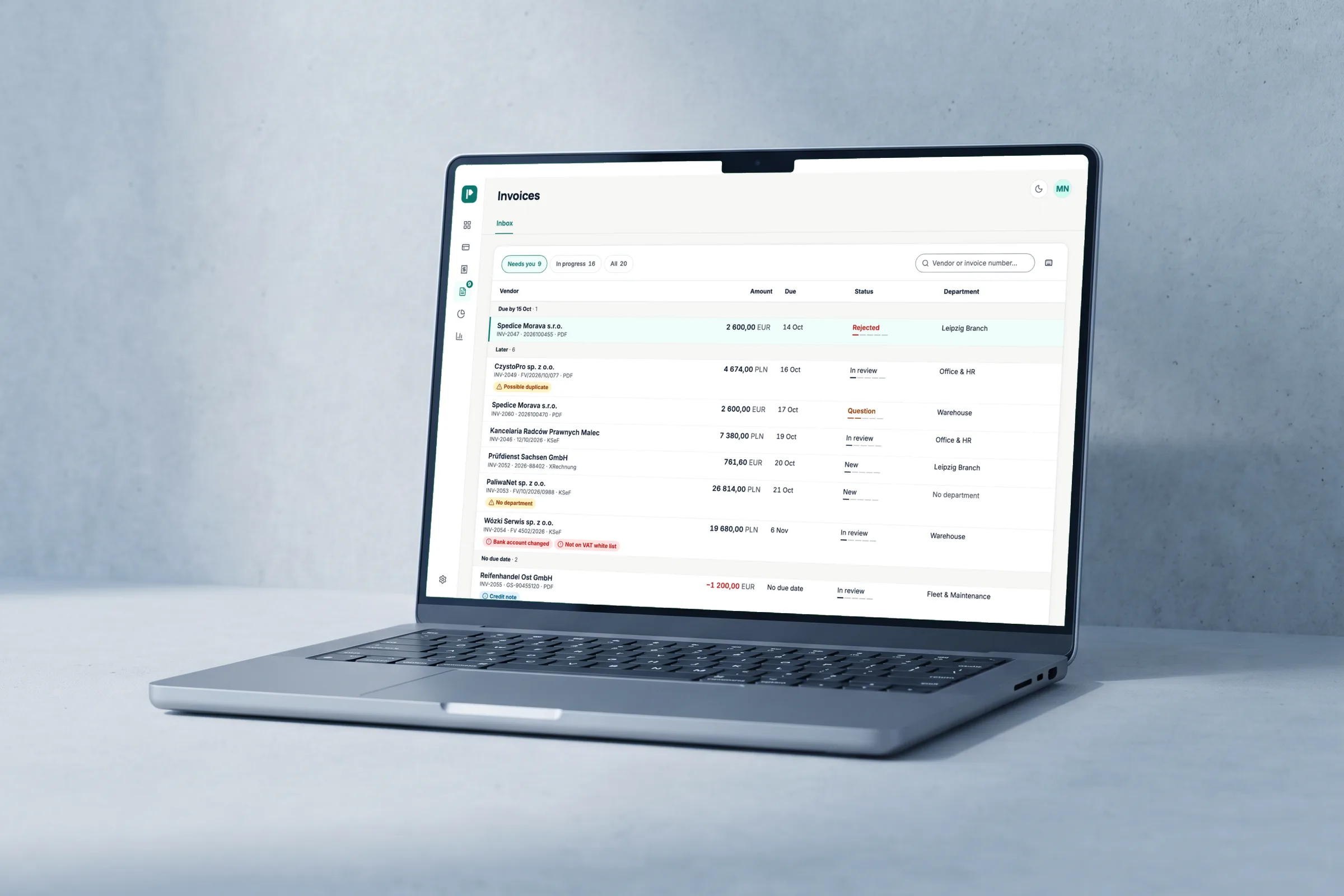
Supplier invoices lived outside the platform: retyped, approved in Slack, paid by hand in the bank.
Payvane is a made-up spend platform for companies in Poland, Czechia and Germany: corporate cards, expense reports, budgets. Invoices arrive from KSeF, the Polish state system, as PDFs by email, and as German XRechnung files. The brief: one place from the moment an invoice arrives to the moment it is paid, with every step visible. And approving from a phone had to be easy.
Checks
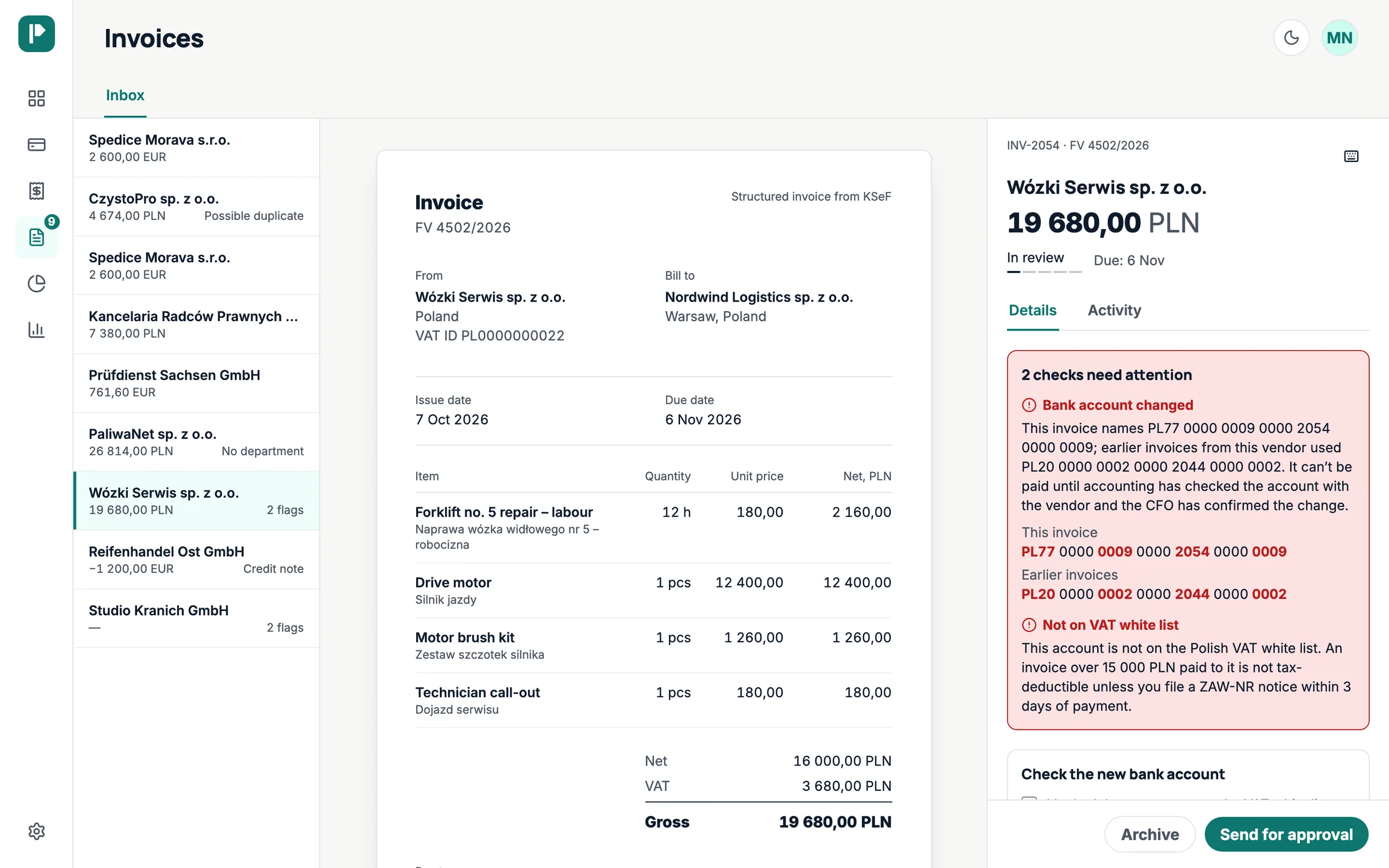
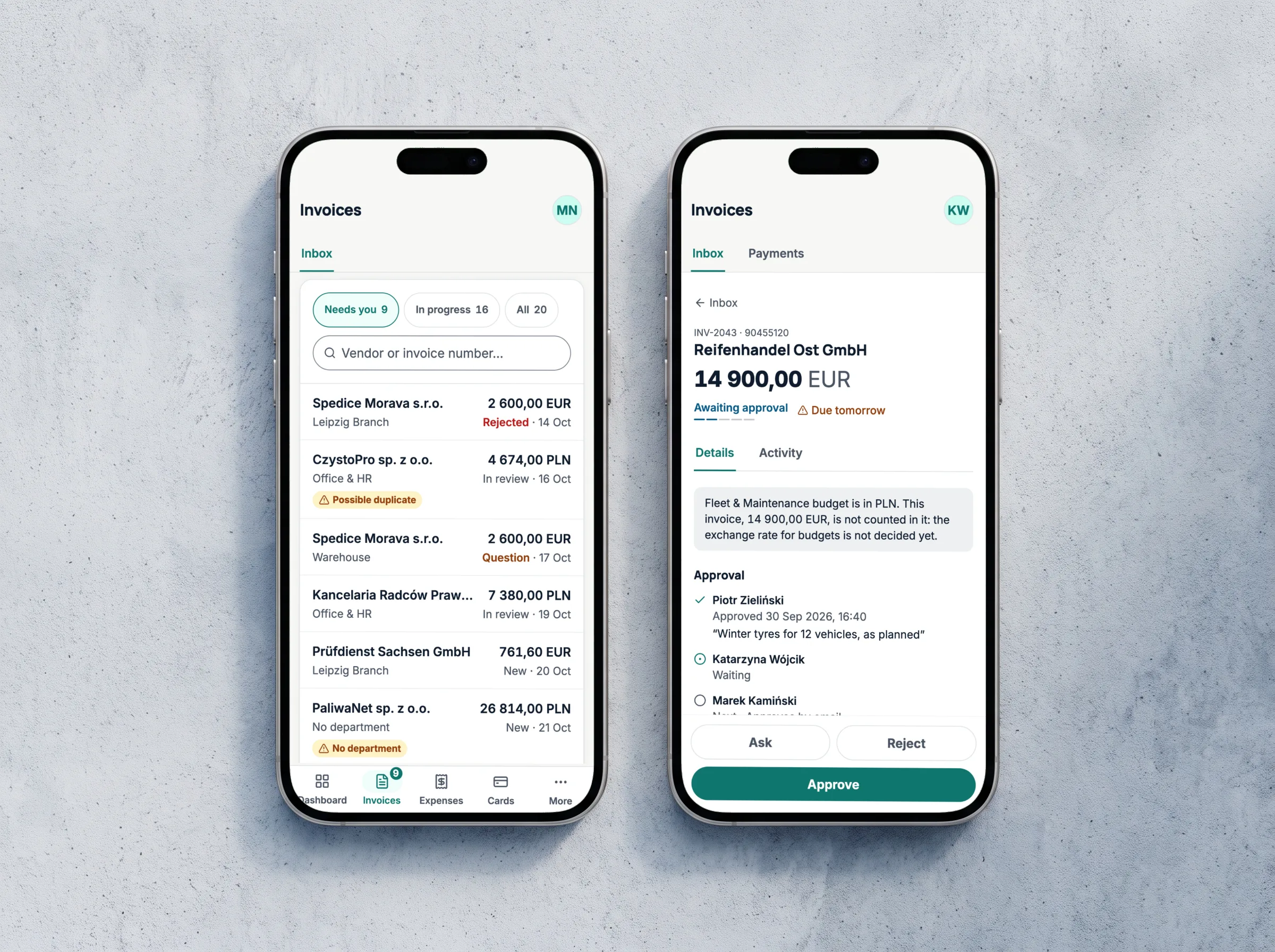
An invoice’s problems show right in the list: a possible duplicate, no department, a changed bank account.
An open invoice is shown as a document, and next to it, in plain words, what needs attention. If a supplier has “changed” their bank account, the changed digits are highlighted, and the invoice can’t be paid until the accountant and the CFO confirm the new account.
Approval and payment
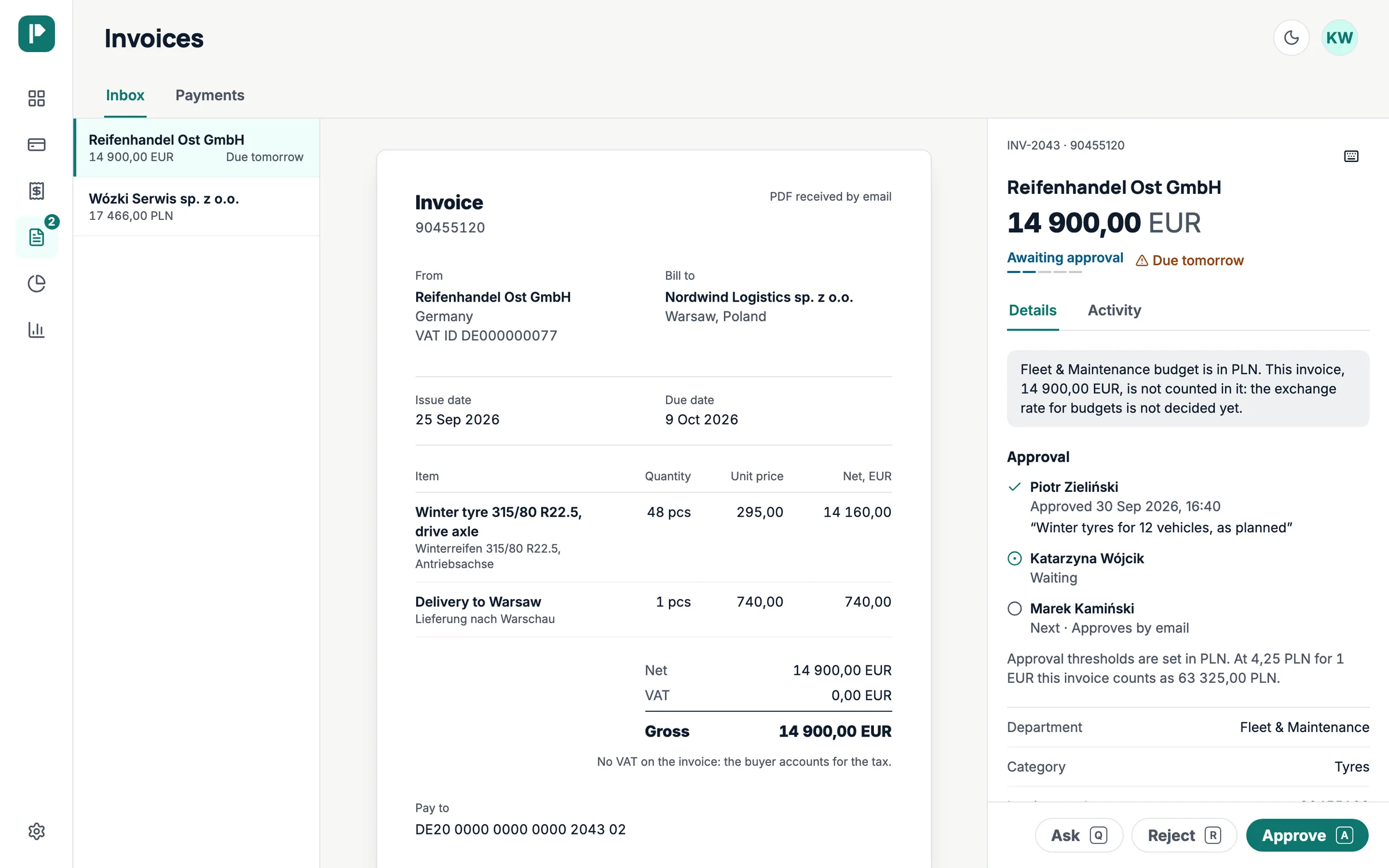
Each person sees what they need for their own decision.
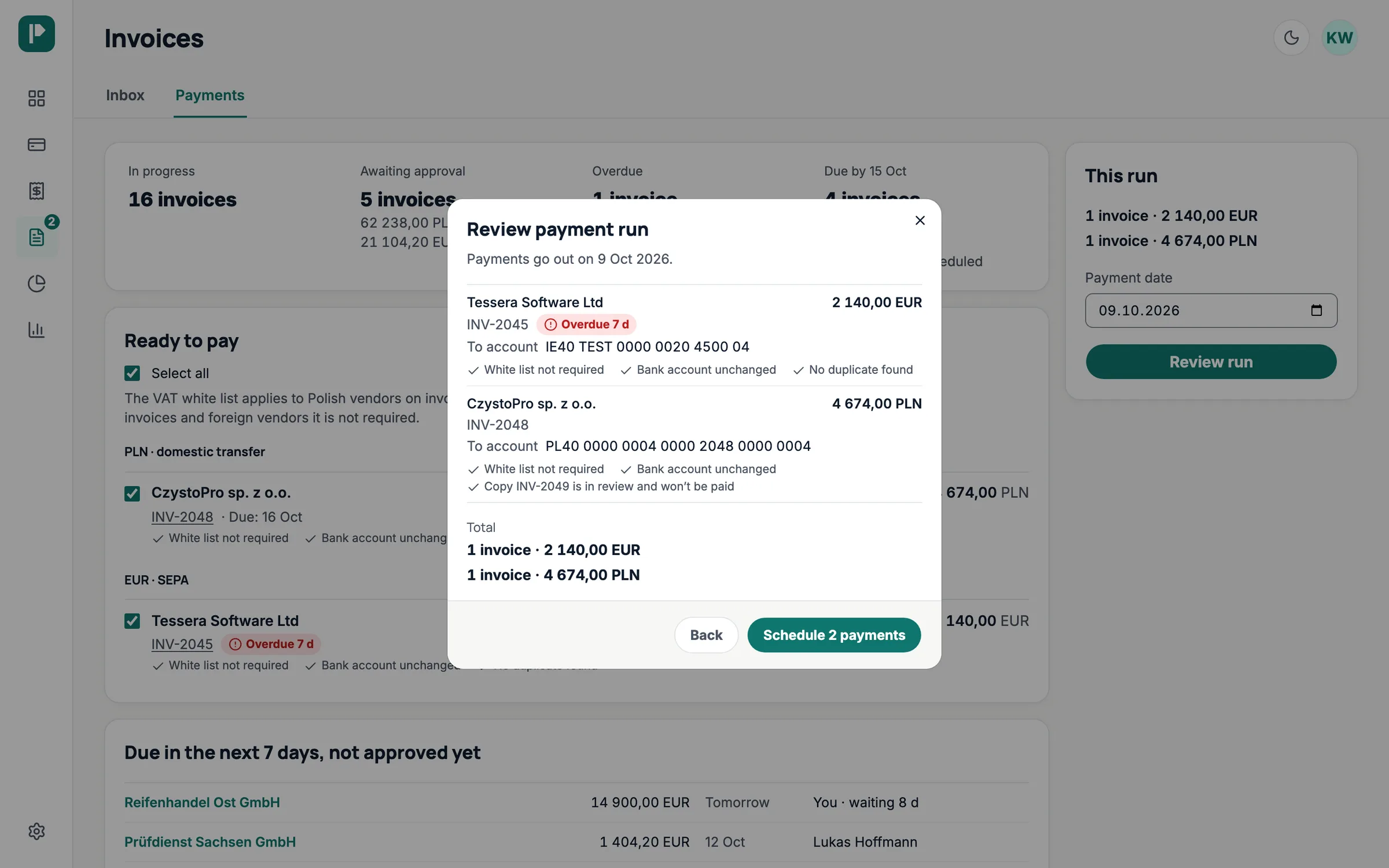
A department head sees their budget, who has approved the invoice already and who is next. The CFO gets approved invoices split into Polish transfers and SEPA in euros, each with the checks it passed. A payment run is reviewed in one window, and it goes through whole or not at all.
On the phone
Managers approve invoices from their phones, so on a phone it had to be easy.
A bar at the bottom holds the main sections, and More opens the rest. An open invoice replaces the bar with its own actions, within reach of a thumb.
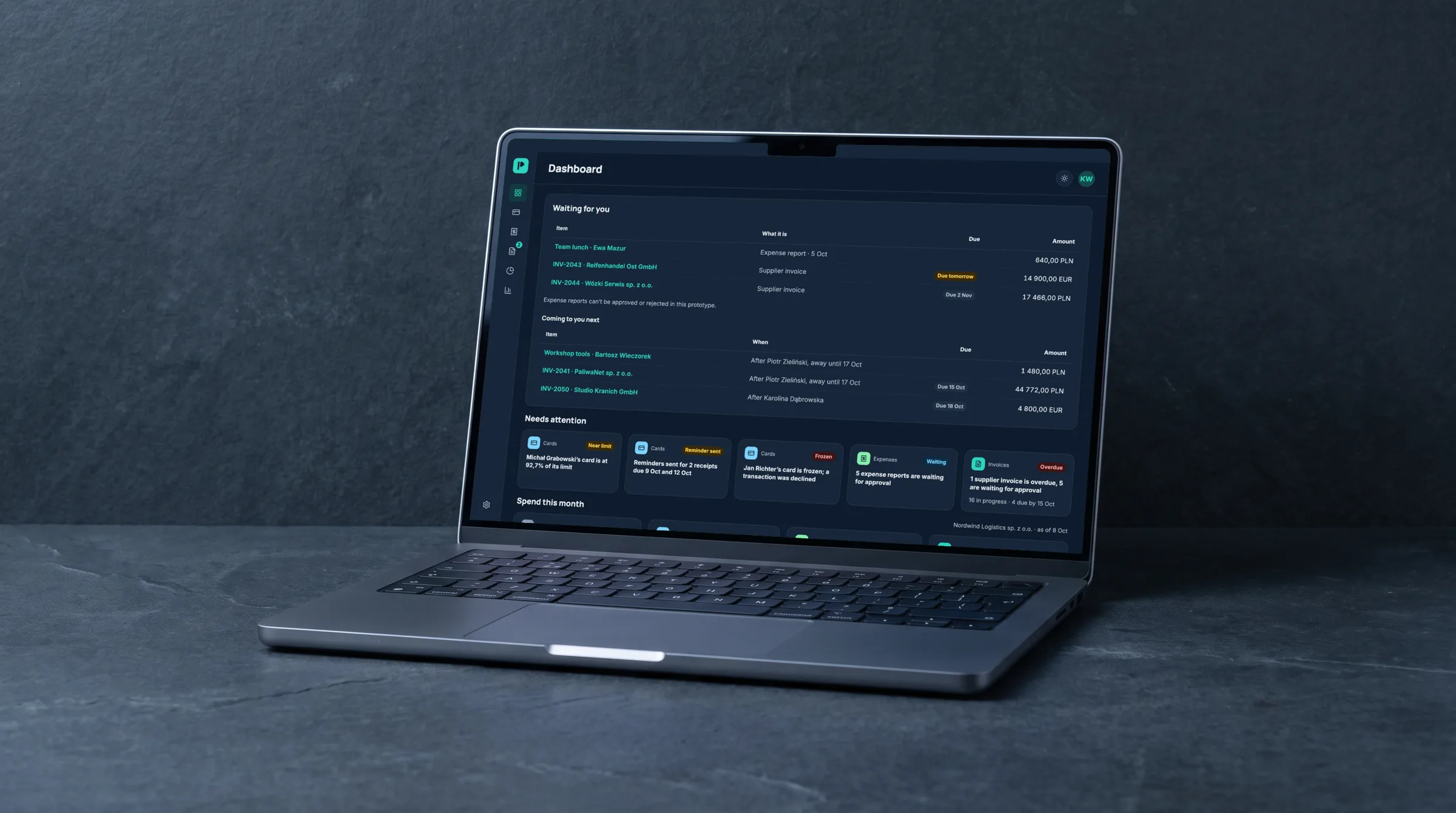
Dark theme
The dark theme keeps the same layout and components; only the colours change.
Automated tests check the contrast in both themes; the target is WCAG 2.1 AA.
The result
A working prototype of the module and the pages around it. It runs in the browser without a backend: actions change the demo data, a reload starts over.
Next project
MusConv
Mobile app for moving music libraries